knowledge farming

  • 홈
  • Go
  • Git
  • 개발환경
  • Flutter
  • NEOVIM

개발환경/vs code 2

vscode 에서 Go 시작하기

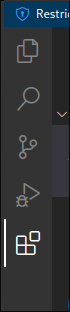
https://go.dev/learn/ Get Started - The Go Programming Language Getting started In this tutorial, you'll get a brief introduction to Go programming. Along the way, you will install Go, write some simple "Hello, world" code, use the go command to run your code, use the Go package discovery tool, and call functions of an go.dev 에서 고랭 다운 먼저 받는다. 그리고 vs 코드에서 환경을 만들어줘야 하는데 간단하다! ctrl + shift + x 를 눌러..
개발환경/vs code 2023.02.21

VSCode 간단하게 커맨드로 설치하기(feat. winget)

winget 으로 설치하는 방법 winget install -e --id Microsoft.VisualStudioCode winget install -e --id Microsoft.VisualStudioCode Tip) 관리자권한으로 입력한다면 물어보는 절차도 생략된다. 웹페이지에서 다운 받아 설치하는 방법 https://code.visualstudio.com/download Download Visual Studio Code - Mac, Linux, Windows Visual Studio Code is free and available on your favorite platform - Linux, macOS, and Windows. Download Visual Studio Code to experienc..

개발환경/vs code 2022.07.11
이전
1
다음
더보기
프로필사진

knowledge farming

To know valuable information needs more information

반응형
  • 분류 전체보기 (36)
    • 네트워크 (0)
    • 리눅스 (4)
    • 윈도우 (3)
    • 개발환경 (5)
      • vs code (2)
      • git (2)
      • Neo vim (1)
    • 프로그래밍 (23)
      • GO (11)
      • Dart (6)
      • Flutter (5)
      • Solidity (1)
    • 미디어 Editing (1)
    • 기타 (0)

Tag

코드팩토리, 피그마 데스크탑, 다트, DART, telescope picker, 깃이그노어, go, colorscheme, GLIBC 2.35 not found, 기초문법, git rm cache, 피그마 리눅스 설치, dart for, 다트 기본, powertoys, 골든래빗, 다트 for, 깃 캐쉬, sway 설치, 플러터프로그래밍,

최근글과 인기글

  • 최근글
  • 인기글

최근댓글

공지사항

  • 한글 도메인 적용

페이스북 트위터 플러그인

  • Facebook
  • Twitter

Archives

Calendar

«   2026/05   »
일 월 화 수 목 금 토
1 2
3 4 5 6 7 8 9
10 11 12 13 14 15 16
17 18 19 20 21 22 23
24 25 26 27 28 29 30
31

방문자수Total

  • Today :
  • Yesterday :

Copyright © AXZ Corp. All rights reserved.

티스토리툴바